Paycheck Protection Program and Health Care Enhancement Act (HR 266) – This is a multilayered legislative bill divided into four distinct sections. Phase 1 authorized funding for coronavirus preparedness and response; specifically, for measures such as vaccine development and public health funding. Most of the money was allocated to the Department of Health and Human Services. Approximately 81 percent of funds were allocated domestically, with the other 19 percent allocated internationally.
Phase 2 allocated $104 billion for three specific objectives: 1) Require private health insurance plans and Medicare to cover COVID-19 testing; 2) Expand unemployment insurance by $1 billion and loosen up eligibility requirements; 3) Provide for paid sick leave at an employee’s full salary, up to $511 per day, and paid family leave at two-thirds of a worker’s usual salary.
Phase 3 provided stimulus checks to individuals and “grants” to small businesses meeting specific criteria, such as keeping employees on the payroll for two months. This phase of the bill represents by far the most expensive single spending bill ever enacted in American history, at about $2.2 trillion.
And finally, the last phase of the bill provided funding to replenish the Paycheck Protection Program (PPP) for small businesses and shore up public health measures, such as virus testing and hospital funding. The bill was signed into law by the president on April 24.
VA Tele-Hearing Modernization Act (HR 4771) – This bill amended previous guidelines to allow appellants to appear in cases before the Board of Veterans’ Appeals by picture and voice transmission from locations outside the Department of Veterans Affairs. The bill was introduced by Rep. Joe Cunningham (D-SC) on Oct. 21, 2019, and signed into law by the president on April 10.
Safeguarding America’s First Responders Act of 2020 (S 3607) – Sponsored by Sen. Chuck Grassley (R-IA), this bill was introduced on May 5 and passed in the Senate on May 14. The legislation is designed to extend death benefits to public safety officers whose deaths are caused by COVID-19, and for other purposes. The bill is currently under consideration in the House.
Law Enforcement Suicide Data Collection Act (S 2746) – Sen. Catherine Cortez Masto (D-NV) introduced this legislation on Oct. 30, 2019. The act would require the director of the FBI to provide information on suicide rates in law enforcement, and for other purposes. It was passed in the Senate on May 14 and is currently being considered by the House.
HEROES Act (HR 6800) – This bill was introduced on May 12 by Rep. Nita Lowey (D-NY). In response to the COVID-19 outbreak, this bill is designed to provide emergency supplemental appropriations for a variety of applications, including assistance to state, local, tribal and territorial governments; further, expand paid sick days, family and medical leave; unemployment compensation; nutrition and food assistance programs; housing assistance; payments to farmers; and the Paycheck Protection Program. It also outlines several potential tax credits and deductions and requires employers to develop and implement infectious disease exposure control plans. The House passed this bill on May 15; it is currently in the Senate for consideration.
In the Wake of the Coronavirus Pandemic, Congress Passes the Most Expensive Single Spending Bill in American History
June 1, 2020 · Blog, Congress at Work
⏱ 3 min read
Paycheck Protection Program and Health Care Enhancement Act (HR 266) – This is a multilayered legislative bill divided into four distinct sections. Phase 1 authorized funding for coronavirus preparedness and response; specifically, for measures such as vaccine development and public health funding. Most of the money was allocated to the Department of Health and Human Services. Approximately 81 percent of funds were allocated domestically, with the other 19 percent allocated internationally.
Phase 2 allocated $104 billion for three specific objectives: 1) Require private health insurance plans and Medicare to cover COVID-19 testing; 2) Expand unemployment insurance by $1 billion and loosen up eligibility requirements; 3) Provide for paid sick leave at an employee’s full salary, up to $511 per day, and paid family leave at two-thirds of a worker’s usual salary.
Phase 3 provided stimulus checks to individuals and “grants” to small businesses meeting specific criteria, such as keeping employees on the payroll for two months. This phase of the bill represents by far the most expensive single spending bill ever enacted in American history, at about $2.2 trillion.
And finally, the last phase of the bill provided funding to replenish the Paycheck Protection Program (PPP) for small businesses and shore up public health measures, such as virus testing and hospital funding. The bill was signed into law by the president on April 24.
VA Tele-Hearing Modernization Act (HR 4771) – This bill amended previous guidelines to allow appellants to appear in cases before the Board of Veterans’ Appeals by picture and voice transmission from locations outside the Department of Veterans Affairs. The bill was introduced by Rep. Joe Cunningham (D-SC) on Oct. 21, 2019, and signed into law by the president on April 10.
Safeguarding America’s First Responders Act of 2020 (S 3607) – Sponsored by Sen. Chuck Grassley (R-IA), this bill was introduced on May 5 and passed in the Senate on May 14. The legislation is designed to extend death benefits to public safety officers whose deaths are caused by COVID-19, and for other purposes. The bill is currently under consideration in the House.
Law Enforcement Suicide Data Collection Act (S 2746) – Sen. Catherine Cortez Masto (D-NV) introduced this legislation on Oct. 30, 2019. The act would require the director of the FBI to provide information on suicide rates in law enforcement, and for other purposes. It was passed in the Senate on May 14 and is currently being considered by the House.
HEROES Act (HR 6800) – This bill was introduced on May 12 by Rep. Nita Lowey (D-NY). In response to the COVID-19 outbreak, this bill is designed to provide emergency supplemental appropriations for a variety of applications, including assistance to state, local, tribal and territorial governments; further, expand paid sick days, family and medical leave; unemployment compensation; nutrition and food assistance programs; housing assistance; payments to farmers; and the Paycheck Protection Program. It also outlines several potential tax credits and deductions and requires employers to develop and implement infectious disease exposure control plans. The House passed this bill on May 15; it is currently in the Senate for consideration.
Disclaimer
These articles provide general information on tax, accounting, and financial topics for small businesses and individuals. They are educational in nature and are not specific legal, accounting, financial, tax, or other professional advice, and should not be relied upon as such. This content was prepared by Service2Client and may have been reviewed or edited by the website owner for accuracy and compliance. Look for a trust mark below for verification details. No representation is made that any approach described will achieve a particular result, and no regulatory or professional body has reviewed or endorsed this content. Because each situation is different, readers should consult a qualified professional about their specific circumstances before acting. Images accompanying these articles are protected by copyright and may not be copied or reused.
The first Payroll Protection Program (PPP) loans were made over eight weeks ago, which means they may be forgivable if the guidelines set forth by the Small Business Administration (SBA) and the United States Treasury Department are met.
In order to have a loan forgiven, borrowers need to complete the 11-page application made available by the Treasury Department. Applicants can complete the forms either in hard copy or via an online platform if provided by their lender. Large borrowers, or those who took out more than $2 million from the PPP program, are required to file even more paperwork.
Along with the application, borrowers need to submit a Forgiveness Amount Calculation. This calculation discloses the total eligible payroll costs paid during the program. Applicants will also need documentation, such as tax filing statements, utilities, PPP loan contracts, EIDL contracts, and any supporting documents that were used when applying for the PPP loan.
Certification of the loan forgiveness amount requested is necessary to prove it was truly used to pay eligible costs, such as payroll, business mortgage interest, rent or lease payments, and utilities. Further, borrowers must report any declines in the number of full-time equivalent employees (FTEs) and/or wage reductions more than 25 percent. Failing to retain pre-program FTE headcount or wage reductions over this threshold will reduce the eligible amount of loan forgiveness.
The amount of paperwork necessary to substantiate the application can be daunting, especially for many “main street” businesses. In order to help you complete the application, the SBA has issued formal guidance that can be found here. And a more user-friendly guide giving detailed instructions on how to fill out your PPP forgiveness application form can be found here, provided by Bench.We can assist you with the application process itself and the required documentation. Give us a call to see how we can help instead of struggling through the process on your own.
Payroll Protection Program Loan Forgiveness is Here
June 1, 2020 · Blog, Guest Post of the Month
⏱ 2 min read
The first Payroll Protection Program (PPP) loans were made over eight weeks ago, which means they may be forgivable if the guidelines set forth by the Small Business Administration (SBA) and the United States Treasury Department are met.
In order to have a loan forgiven, borrowers need to complete the 11-page application made available by the Treasury Department. Applicants can complete the forms either in hard copy or via an online platform if provided by their lender. Large borrowers, or those who took out more than $2 million from the PPP program, are required to file even more paperwork.
Along with the application, borrowers need to submit a Forgiveness Amount Calculation. This calculation discloses the total eligible payroll costs paid during the program. Applicants will also need documentation, such as tax filing statements, utilities, PPP loan contracts, EIDL contracts, and any supporting documents that were used when applying for the PPP loan.
Certification of the loan forgiveness amount requested is necessary to prove it was truly used to pay eligible costs, such as payroll, business mortgage interest, rent or lease payments, and utilities. Further, borrowers must report any declines in the number of full-time equivalent employees (FTEs) and/or wage reductions more than 25 percent. Failing to retain pre-program FTE headcount or wage reductions over this threshold will reduce the eligible amount of loan forgiveness.
The amount of paperwork necessary to substantiate the application can be daunting, especially for many “main street” businesses. In order to help you complete the application, the SBA has issued formal guidance that can be found here. And a more user-friendly guide giving detailed instructions on how to fill out your PPP forgiveness application form can be found here, provided by Bench.We can assist you with the application process itself and the required documentation. Give us a call to see how we can help instead of struggling through the process on your own.
Disclaimer
These articles provide general information on tax, accounting, and financial topics for small businesses and individuals. They are educational in nature and are not specific legal, accounting, financial, tax, or other professional advice, and should not be relied upon as such. This content was prepared by Service2Client and may have been reviewed or edited by the website owner for accuracy and compliance. Look for a trust mark below for verification details. No representation is made that any approach described will achieve a particular result, and no regulatory or professional body has reviewed or endorsed this content. Because each situation is different, readers should consult a qualified professional about their specific circumstances before acting. Images accompanying these articles are protected by copyright and may not be copied or reused.
Most states are starting to relax stay-at-home restrictions. As such, businesses are developing plans for bringing employees back to work. Many businesses are already affected by the pandemic and their future looks grim. Specifically, we are going to look at the IT sector and examine what spending might look like in a post-lockdown economy.
Disruption
The COVID-19 pandemic has resulted in an unprecedented disruption in businesses. As a result, management has tried to reduce costs to survive or risk shutting down. IT departments have suffered the most with major budget cuts due to a reduction in revenue. As a result, non-urgent purchases have been eliminated; initiatives have been suspended; and employees have been terminated.
Of course, technology also has been playing a great role in supporting businesses during the pandemic, especially by enabling work at home and keeping in touch with clients. But there are expectations for major challenges when businesses get back to normal. For instance, the post-coronavirus business world expects travel restrictions, office distancing, business continuity, and pandemic regulations. As for onsite work in the office, challenges will include distributed collaboration, endpoint data protection, scalable administration, and secure access to corporate data.
It also appears that the impact will vary from industry to industry. Companies that depend on face-to-face contact are in danger of lost income and bankruptcy. At the same time, other businesses are thriving.
Consider digital marketing industries. With more businesses moving online, there will be a rise in the purchase of IT-related expenditures such as software. The entertainment sector has found solace in digital platforms, while there is an increase in the work-at-home trend.
The Future
Despite the uncertainties, some predictions can be made.
One thing that is certain is that the impact on IT spending will vary depending on the IT stack. While the infrastructure, branch networking, middleware, and enterprise apps might see a drop, areas such as communication/collaboration, cloud storage, security, and compliance will likely see an increase in spending as more people work remotely.
While the impact on the IT industry will definitely vary, we could see a lot of new innovations. Such innovations might include customer-facing and worker productivity apps. Some companies may increase spending on new innovations to help outperform their competition.
Another factor affecting IT spending is the size of a business. While big businesses may get back to normal after a few months, small businesses have to tread carefully. As such, IT spending for different-sized businesses will not be similar.
A decision to have employees continue working at home means that IT expenditures will take a different shape. While there will be less need for office equipment, there will be an increase in spending to enable offsite work.
There could also be more spending by businesses investing in continuity strategies such as more remote locations, new training in information and communications technology (ICT) and automation of processes.
This also will depend on business operations. Consider a business that had already migrated to the cloud before the COVID-19 pandemic. Such businesses did not suffer much disruption compared to those still using on-premise applications and proprietary data centers. Thus, IT spending for both types of businesses will vary in the future.
Lastly, businesses will want to invest in projects that are likely to provide a return on investment faster.
Conclusion
The disruption to businesses by the COVID-19 pandemic is like none previously encountered. One thing is certain: Things will not bounce back to the known normal. Rather, we should expect a new normal. And, as we have seen through the examination of certain IT expenditures, the success of each industry is dependent on various factors.
How IT Spending Will Change When Business Resumes
June 1, 2020 · Blog, What's New in Technology
⏱ 4 min read
Most states are starting to relax stay-at-home restrictions. As such, businesses are developing plans for bringing employees back to work. Many businesses are already affected by the pandemic and their future looks grim. Specifically, we are going to look at the IT sector and examine what spending might look like in a post-lockdown economy.
Disruption
The COVID-19 pandemic has resulted in an unprecedented disruption in businesses. As a result, management has tried to reduce costs to survive or risk shutting down. IT departments have suffered the most with major budget cuts due to a reduction in revenue. As a result, non-urgent purchases have been eliminated; initiatives have been suspended; and employees have been terminated.
Of course, technology also has been playing a great role in supporting businesses during the pandemic, especially by enabling work at home and keeping in touch with clients. But there are expectations for major challenges when businesses get back to normal. For instance, the post-coronavirus business world expects travel restrictions, office distancing, business continuity, and pandemic regulations. As for onsite work in the office, challenges will include distributed collaboration, endpoint data protection, scalable administration, and secure access to corporate data.
It also appears that the impact will vary from industry to industry. Companies that depend on face-to-face contact are in danger of lost income and bankruptcy. At the same time, other businesses are thriving.
Consider digital marketing industries. With more businesses moving online, there will be a rise in the purchase of IT-related expenditures such as software. The entertainment sector has found solace in digital platforms, while there is an increase in the work-at-home trend.
The Future
Despite the uncertainties, some predictions can be made.
One thing that is certain is that the impact on IT spending will vary depending on the IT stack. While the infrastructure, branch networking, middleware, and enterprise apps might see a drop, areas such as communication/collaboration, cloud storage, security, and compliance will likely see an increase in spending as more people work remotely.
While the impact on the IT industry will definitely vary, we could see a lot of new innovations. Such innovations might include customer-facing and worker productivity apps. Some companies may increase spending on new innovations to help outperform their competition.
Another factor affecting IT spending is the size of a business. While big businesses may get back to normal after a few months, small businesses have to tread carefully. As such, IT spending for different-sized businesses will not be similar.
A decision to have employees continue working at home means that IT expenditures will take a different shape. While there will be less need for office equipment, there will be an increase in spending to enable offsite work.
There could also be more spending by businesses investing in continuity strategies such as more remote locations, new training in information and communications technology (ICT) and automation of processes.
This also will depend on business operations. Consider a business that had already migrated to the cloud before the COVID-19 pandemic. Such businesses did not suffer much disruption compared to those still using on-premise applications and proprietary data centers. Thus, IT spending for both types of businesses will vary in the future.
Lastly, businesses will want to invest in projects that are likely to provide a return on investment faster.
Conclusion
The disruption to businesses by the COVID-19 pandemic is like none previously encountered. One thing is certain: Things will not bounce back to the known normal. Rather, we should expect a new normal. And, as we have seen through the examination of certain IT expenditures, the success of each industry is dependent on various factors.
Disclaimer
These articles provide general information on tax, accounting, and financial topics for small businesses and individuals. They are educational in nature and are not specific legal, accounting, financial, tax, or other professional advice, and should not be relied upon as such. This content was prepared by Service2Client and may have been reviewed or edited by the website owner for accuracy and compliance. Look for a trust mark below for verification details. No representation is made that any approach described will achieve a particular result, and no regulatory or professional body has reviewed or endorsed this content. Because each situation is different, readers should consult a qualified professional about their specific circumstances before acting. Images accompanying these articles are protected by copyright and may not be copied or reused.
Due to the unprecedented effects of COVID-19, the line between our professional and personal lives has blurred. Trying to take care of job responsibilities from home requires new ways of navigating. Here are a few ideas to help you become more productive while working at home – and stay grounded in these uncertain times.
Dress for Work
As tempting as it might be to stay in your pajamas, don’t. Act as if you’re going into the office: shower put on your work clothes and head to your desk. You’ll feel more focused and professional. According to Heather Yurovsky, founder of Shatter & Shine, one should not underestimate the power of putting on clothes suitable for public viewing. “It makes you feel human, confident and helps draw the line between being at home and being at work,” she says.
Create a Dedicated Space
While working from the kitchen table or couch in your living room might be more comfortable, it also might prohibit your productivity. Set up a home office. Get an extra monitor. Make sure you have dependable internet service. In short, replicate a professional workspace as best you can; one that feels separate from the rest of your home. When your surroundings are more in line with a real office, you’ll be more motivated. Plus, you’ll be able to more easily turn on when your day begins and turn off when it’s over.
Set Up a Plan for the Kids
Even though school’s out, chances are you still have to work. Create a schedule for the kids. Carve out certain hours for activities in designated areas of the house. According to Emily Weinmann of Us Happy Four, one of the best ways to keep the little ones occupied and happy is to prepare activity stations. Another great idea is to prepare snacks the night before and put them in your office, in the fridge or in their rooms. When someone is starving, the snacks will be ready. And finally, relax screen time. When you’re stuck at home and it’s either raining or it’s scalding hot outside, you’ll be grateful for technology.
Keep Regular Hours
If you stick with regular hours, you’ll not only be able to seamlessly transition going back into the office, you’ll also be on the same schedule as your colleagues. Everyone will be working concurrently, so you’ll be more efficient, easier to reach, and productive. When lunchtime comes, leave your home office and eat in the kitchen, the patio, or the backyard. Even though you’re in one place, the simple change of venue will be mentally refreshing.
Set Clear Boundaries
This is especially important if you have other humans in your home. Try your best to discourage intrusions. When you’re in a meeting, shut the door. Lock it if you have to. If your home is more open, put signs in strategic places where people frequent, like the entry to the kitchen or stairs to the basement. This way, they’ll pause and reflect on whether an interruption is really necessary.
Limit Your Intake of News
In a society that’s saturated with news at every turn, it’s tough not to get sucked into the latest tragedy. Be intentional: Turn off the TV during work hours. Don’t visit news sites when you’re at the computer or on your phone. If you feel you must have a bit of news to break up your day, tune in for a few minutes during lunch or in the evening. But even then, be judicious and limit your time. If some story sends you over the edge, turn it off and head outside for a walk. Change the channel. Put on your favorite music.
These days, we’re all doing the best we can, taking life one day at a time. Unless you already work from home or have made a decision that you’ll work from home for the rest of your life, remember that things will change.
Due to the unprecedented effects of COVID-19, the line between our professional and personal lives has blurred. Trying to take care of job responsibilities from home requires new ways of navigating. Here are a few ideas to help you become more productive while working at home – and stay grounded in these uncertain times.
Dress for Work
As tempting as it might be to stay in your pajamas, don’t. Act as if you’re going into the office: shower put on your work clothes and head to your desk. You’ll feel more focused and professional. According to Heather Yurovsky, founder of Shatter & Shine, one should not underestimate the power of putting on clothes suitable for public viewing. “It makes you feel human, confident and helps draw the line between being at home and being at work,” she says.
Create a Dedicated Space
While working from the kitchen table or couch in your living room might be more comfortable, it also might prohibit your productivity. Set up a home office. Get an extra monitor. Make sure you have dependable internet service. In short, replicate a professional workspace as best you can; one that feels separate from the rest of your home. When your surroundings are more in line with a real office, you’ll be more motivated. Plus, you’ll be able to more easily turn on when your day begins and turn off when it’s over.
Set Up a Plan for the Kids
Even though school’s out, chances are you still have to work. Create a schedule for the kids. Carve out certain hours for activities in designated areas of the house. According to Emily Weinmann of Us Happy Four, one of the best ways to keep the little ones occupied and happy is to prepare activity stations. Another great idea is to prepare snacks the night before and put them in your office, in the fridge or in their rooms. When someone is starving, the snacks will be ready. And finally, relax screen time. When you’re stuck at home and it’s either raining or it’s scalding hot outside, you’ll be grateful for technology.
Keep Regular Hours
If you stick with regular hours, you’ll not only be able to seamlessly transition going back into the office, you’ll also be on the same schedule as your colleagues. Everyone will be working concurrently, so you’ll be more efficient, easier to reach, and productive. When lunchtime comes, leave your home office and eat in the kitchen, the patio, or the backyard. Even though you’re in one place, the simple change of venue will be mentally refreshing.
Set Clear Boundaries
This is especially important if you have other humans in your home. Try your best to discourage intrusions. When you’re in a meeting, shut the door. Lock it if you have to. If your home is more open, put signs in strategic places where people frequent, like the entry to the kitchen or stairs to the basement. This way, they’ll pause and reflect on whether an interruption is really necessary.
Limit Your Intake of News
In a society that’s saturated with news at every turn, it’s tough not to get sucked into the latest tragedy. Be intentional: Turn off the TV during work hours. Don’t visit news sites when you’re at the computer or on your phone. If you feel you must have a bit of news to break up your day, tune in for a few minutes during lunch or in the evening. But even then, be judicious and limit your time. If some story sends you over the edge, turn it off and head outside for a walk. Change the channel. Put on your favorite music.
These days, we’re all doing the best we can, taking life one day at a time. Unless you already work from home or have made a decision that you’ll work from home for the rest of your life, remember that things will change.
These articles provide general information on tax, accounting, and financial topics for small businesses and individuals. They are educational in nature and are not specific legal, accounting, financial, tax, or other professional advice, and should not be relied upon as such. This content was prepared by Service2Client and may have been reviewed or edited by the website owner for accuracy and compliance. Look for a trust mark below for verification details. No representation is made that any approach described will achieve a particular result, and no regulatory or professional body has reviewed or endorsed this content. Because each situation is different, readers should consult a qualified professional about their specific circumstances before acting. Images accompanying these articles are protected by copyright and may not be copied or reused.
That year or two when you are closing in on your retirement date, followed by a year or two after you retire, are the worst times for a sustained market decline. Market analysts call this scenario the sequence of returns (SOR) risk – because once your principal has been significantly reduced, there’s not enough time in the market left for you to recover those losses.
Two things will likely happen. First, the amount of retirement income you can withdraw each year is irrevocably reduced. For example, if you were planning to withdraw 4 percent a year from a $350,000 portfolio, you would have received a supplementary income of $14,000 a year. But if your principal drops to $280,000 a year, your 4 percent draw will generate only $11,200 a year. If you need that additional money, you will have to increase your draw to about 5 percent of the principal each year.
This leads us to the second consequence of a market decline: your principal will diminish faster. The longer you live, the greater your chances of running out of money.
How Big Is This Problem?
Because the coronavirus pandemic has sent stock markets reeling over the past few months, SOR risk has become a widespread concern. According to research by Spectrem Group, at the end of 2019, there were 11 million millionaires in the United States. By the end of March this year, at least half a million of those people were no longer millionaires.
While losses among millionaires may be disconcerting, the situation is far direr for middle-class investors, who might not have several hundred thousand dollars to spare in their retirement portfolio.
Strategies To Offset SOR Risk
If the last recession is any indicator, the economic recovery going forward could take several years. That’s not good news for people who were looking forward to retirement. This group may want to seriously consider the merits of delaying retirement and continuing to work longer, such as:
Allowing their portfolio time to recover
Continuing to contribute to tax-advantaged retirement accounts
Enabling their Social Security benefits to accrue higher
Another strategy to help protect your portfolio against future SOR risk is to position a larger allocation to fixed-income assets and/or an annuity. While this might limit your potential for income growth in the future, these assets are backed by more reliable payors and less subject to the vagaries of the stock market. By diversifying your current assets, you can build multiple streams of reliable income to protect you from the future threat of market losses, a global pandemic, or changes in Social Security benefits.
It’s worth considering that once we emerge from this current crisis, legislators will have to find a way to deal with the federal deficit and growing debt. The Social Security program was already projected to cut benefits by 2035 without any new funding solutions. Now, that threat is even further exacerbated by the enormous jump in unemployment numbers. This situation leaves even fewer people paying into the Social Security and Medicare programs.
All of this is why it’s very important to address today’s challenges presented by the sequence of returns risk. Explore ways to develop multiple income streams to protect your current assets and ensure they last throughout your lifetime.
Why Sequence of Returns Risk Matters Now
June 1, 2020 · Blog, Financial Planning
⏱ 3 min read
That year or two when you are closing in on your retirement date, followed by a year or two after you retire, are the worst times for a sustained market decline. Market analysts call this scenario the sequence of returns (SOR) risk – because once your principal has been significantly reduced, there’s not enough time in the market left for you to recover those losses.
Two things will likely happen. First, the amount of retirement income you can withdraw each year is irrevocably reduced. For example, if you were planning to withdraw 4 percent a year from a $350,000 portfolio, you would have received a supplementary income of $14,000 a year. But if your principal drops to $280,000 a year, your 4 percent draw will generate only $11,200 a year. If you need that additional money, you will have to increase your draw to about 5 percent of the principal each year.
This leads us to the second consequence of a market decline: your principal will diminish faster. The longer you live, the greater your chances of running out of money.
How Big Is This Problem?
Because the coronavirus pandemic has sent stock markets reeling over the past few months, SOR risk has become a widespread concern. According to research by Spectrem Group, at the end of 2019, there were 11 million millionaires in the United States. By the end of March this year, at least half a million of those people were no longer millionaires.
While losses among millionaires may be disconcerting, the situation is far direr for middle-class investors, who might not have several hundred thousand dollars to spare in their retirement portfolio.
Strategies To Offset SOR Risk
If the last recession is any indicator, the economic recovery going forward could take several years. That’s not good news for people who were looking forward to retirement. This group may want to seriously consider the merits of delaying retirement and continuing to work longer, such as:
Allowing their portfolio time to recover
Continuing to contribute to tax-advantaged retirement accounts
Enabling their Social Security benefits to accrue higher
Another strategy to help protect your portfolio against future SOR risk is to position a larger allocation to fixed-income assets and/or an annuity. While this might limit your potential for income growth in the future, these assets are backed by more reliable payors and less subject to the vagaries of the stock market. By diversifying your current assets, you can build multiple streams of reliable income to protect you from the future threat of market losses, a global pandemic, or changes in Social Security benefits.
It’s worth considering that once we emerge from this current crisis, legislators will have to find a way to deal with the federal deficit and growing debt. The Social Security program was already projected to cut benefits by 2035 without any new funding solutions. Now, that threat is even further exacerbated by the enormous jump in unemployment numbers. This situation leaves even fewer people paying into the Social Security and Medicare programs.
All of this is why it’s very important to address today’s challenges presented by the sequence of returns risk. Explore ways to develop multiple income streams to protect your current assets and ensure they last throughout your lifetime.
Disclaimer
These articles provide general information on tax, accounting, and financial topics for small businesses and individuals. They are educational in nature and are not specific legal, accounting, financial, tax, or other professional advice, and should not be relied upon as such. This content was prepared by Service2Client and may have been reviewed or edited by the website owner for accuracy and compliance. Look for a trust mark below for verification details. No representation is made that any approach described will achieve a particular result, and no regulatory or professional body has reviewed or endorsed this content. Because each situation is different, readers should consult a qualified professional about their specific circumstances before acting. Images accompanying these articles are protected by copyright and may not be copied or reused.
After seeing a peak and then a sustained decline in coronavirus cases, hospitalizations, and deaths resulting from COVID-19, the White House and the Centers for Disease Control and Prevention has rolled out a three-tier approach to get the nation back to its pre-coronavirus economic activities.
While this program is led by the Federal Government, it is ultimately up to governors how they will reopen states and localities. However, there are some universal criteria that states must follow to gradually reopen the economy.
Before transitioning from the stay-at-home orders to the three phases, certain criteria must be met. In order to move to less restrictive phases, there must be a dropping trend of documented cases over 14 continuous days or a downward trajectory of positive tests as a percent of total tests over 14 continuous days, according to guidelines set out by the White House and the CDC. Once the initial gating criteria are met, the local government can move into phase one.
Phase One
This stage will permit establishments such as places of worship, movie theaters, restaurants, and sporting arenas to reopen if they abide by strict social distancing guidelines. Along with recommending stringent sanitation guidelines for permitted establishments to reopen, this phase also suggests telework for employees and minimizing nonessential travel.
Phase Two
Schools, daycare centers, and camps (and similar events) could resume, along with nonessential travel. Establishments permitted to reopen in phase one can remain open and are now permitted to relax their physical distancing to a moderate level. Bars can start reopening, with diminished standing-room occupancy, and gyms can stay open with strict distancing and sanitation protocols.
Phase Three
This phase would come into force when the state and/or locality has no evidence of a relapse. Worksites would see normal staff protocols without restrictions. Large establishments will be able to function under limited social distancing protocols; gyms will operate with standard sanitation protocols, and bars would be able to run with increased standing room occupancy.
As states across the country are reopening, there are many preparations that businesses can implement to stay compliant with government mandates, including re-integrating their workforce and encouraging customers to return to establishments.
Sanitation
Along with social distancing, maintaining sanitation is equally important. Encouraging workers to wash their hands at every available opportunity, including upon arriving at work; before and after eating; after touching doors, desks, keyboards, and other materials; using the restrooms, etc.
Cleaning
Whether it’s an office environment or a retail/restaurant establishment, cleaning surfaces at least once a day is recommended, but more often for surfaces that are touched or used during the course of business. Examples of items to sanitize regularly throughout the day include handles, tables, elevator buttons, sinks, registers, and point of sale terminals.
Signage
Reminding employees and visitors to go home if they have symptoms or have been exposed to the coronavirus through signage is recommended. A protocol to contact the front office based on these circumstances should be implemented.
Encouraging Telework
Identifying tasks suitable for telecommuting versus in-office is helpful for task completion, as well as promoting social distancing. Look at the perspective of work from two buckets – solitary or collaborative – and telecommuting and office time can be split accordingly. If an employee is tasked with writing reports, performing research, or calling experts, he or she could easily work from home. While collaborative work can be done remotely, it is better to be done at the office.
Other Considerations
Along with face masks, there are other ways to reduce the potential for coronavirus transmission. Offices and other establishments can have fewer seats in common rooms, using tape to mark 6 feet or more of distance. When it comes to hallways, one way to stop face-to-face exposure is to have one-way corridors. While it might create longer days, staggering shifts to reduce the number of people in the office and rearranging breaks would also reduce unnecessary employee-to-employee interactions.
Ditching cash as an accepted form of payment is another way to reduce the likelihood of coming into contact with the coronavirus on currency, along with encouraging social distancing since cash doesn’t need to be exchanged. Using online/digital payments or credit cards only is one way to accomplish this. Using designated entrances for workers (or customers), coupled with designated entrances and exits can help reduce opposing traffic and people meeting face-to-face.
While research continues to create a vaccine and render the coronavirus harmless, until that happens, businesses have many tools to reopen their businesses for the foreseeable future.
Understanding the Federal Government’s Proposal for Opening Up Again
June 1, 2020 · Blog, General Business News
⏱ 4 min read
After seeing a peak and then a sustained decline in coronavirus cases, hospitalizations, and deaths resulting from COVID-19, the White House and the Centers for Disease Control and Prevention has rolled out a three-tier approach to get the nation back to its pre-coronavirus economic activities.
While this program is led by the Federal Government, it is ultimately up to governors how they will reopen states and localities. However, there are some universal criteria that states must follow to gradually reopen the economy.
Before transitioning from the stay-at-home orders to the three phases, certain criteria must be met. In order to move to less restrictive phases, there must be a dropping trend of documented cases over 14 continuous days or a downward trajectory of positive tests as a percent of total tests over 14 continuous days, according to guidelines set out by the White House and the CDC. Once the initial gating criteria are met, the local government can move into phase one.
Phase One
This stage will permit establishments such as places of worship, movie theaters, restaurants, and sporting arenas to reopen if they abide by strict social distancing guidelines. Along with recommending stringent sanitation guidelines for permitted establishments to reopen, this phase also suggests telework for employees and minimizing nonessential travel.
Phase Two
Schools, daycare centers, and camps (and similar events) could resume, along with nonessential travel. Establishments permitted to reopen in phase one can remain open and are now permitted to relax their physical distancing to a moderate level. Bars can start reopening, with diminished standing-room occupancy, and gyms can stay open with strict distancing and sanitation protocols.
Phase Three
This phase would come into force when the state and/or locality has no evidence of a relapse. Worksites would see normal staff protocols without restrictions. Large establishments will be able to function under limited social distancing protocols; gyms will operate with standard sanitation protocols, and bars would be able to run with increased standing room occupancy.
As states across the country are reopening, there are many preparations that businesses can implement to stay compliant with government mandates, including re-integrating their workforce and encouraging customers to return to establishments.
Sanitation
Along with social distancing, maintaining sanitation is equally important. Encouraging workers to wash their hands at every available opportunity, including upon arriving at work; before and after eating; after touching doors, desks, keyboards, and other materials; using the restrooms, etc.
Cleaning
Whether it’s an office environment or a retail/restaurant establishment, cleaning surfaces at least once a day is recommended, but more often for surfaces that are touched or used during the course of business. Examples of items to sanitize regularly throughout the day include handles, tables, elevator buttons, sinks, registers, and point of sale terminals.
Signage
Reminding employees and visitors to go home if they have symptoms or have been exposed to the coronavirus through signage is recommended. A protocol to contact the front office based on these circumstances should be implemented.
Encouraging Telework
Identifying tasks suitable for telecommuting versus in-office is helpful for task completion, as well as promoting social distancing. Look at the perspective of work from two buckets – solitary or collaborative – and telecommuting and office time can be split accordingly. If an employee is tasked with writing reports, performing research, or calling experts, he or she could easily work from home. While collaborative work can be done remotely, it is better to be done at the office.
Other Considerations
Along with face masks, there are other ways to reduce the potential for coronavirus transmission. Offices and other establishments can have fewer seats in common rooms, using tape to mark 6 feet or more of distance. When it comes to hallways, one way to stop face-to-face exposure is to have one-way corridors. While it might create longer days, staggering shifts to reduce the number of people in the office and rearranging breaks would also reduce unnecessary employee-to-employee interactions.
Ditching cash as an accepted form of payment is another way to reduce the likelihood of coming into contact with the coronavirus on currency, along with encouraging social distancing since cash doesn’t need to be exchanged. Using online/digital payments or credit cards only is one way to accomplish this. Using designated entrances for workers (or customers), coupled with designated entrances and exits can help reduce opposing traffic and people meeting face-to-face.
While research continues to create a vaccine and render the coronavirus harmless, until that happens, businesses have many tools to reopen their businesses for the foreseeable future.
These articles provide general information on tax, accounting, and financial topics for small businesses and individuals. They are educational in nature and are not specific legal, accounting, financial, tax, or other professional advice, and should not be relied upon as such. This content was prepared by Service2Client and may have been reviewed or edited by the website owner for accuracy and compliance. Look for a trust mark below for verification details. No representation is made that any approach described will achieve a particular result, and no regulatory or professional body has reviewed or endorsed this content. Because each situation is different, readers should consult a qualified professional about their specific circumstances before acting. Images accompanying these articles are protected by copyright and may not be copied or reused.
The CARES Act stimulus package substantially relaxed the rules around certain retirement account loan and distribution requirements, but with much confusion. As a result, the IRS recently put out a FAQ document to address the COVID-19 rule relaxation around IRA and 401(k) loans and distributions. This important information should come as welcome news for the nearly one percent of all retirement plan holders who have already taken a distribution under the new rules, according to Fidelity Investments.
Who’s eligible?
If you, a spouse or dependent tested positive for COVID-19, you automatically qualify. You also may qualify under less direct circumstances, such as experiencing economic hardship due to being quarantined, laid off, receiving a reduction in work hours, or missing work because you don’t have childcare. Business owners who are forced to close or reduce operating hours also qualify.
How Much Can I Take Out?
COVID-19 impacted individuals can take up to $100k in distributions without paying the 10 percent penalty imposed on early withdrawals by people under 59 1/2 years old. The $100,000 limit is the total for all the plans you have. For example, if you take $70k out of your 401(k), you can take only up to $30k out of your IRA under these rules. You will still owe taxes on the distributions as ordinary income; however, you are able to pay the taxes owed over a three-year period.
Can I Pay Myself Back?
The law also allows you to pay yourself back. Taxpayers can replace their distributions if they do so within a three-year timeframe. This means that if you take out a distribution in 2020, start to pay the taxes owed over the three-year rule and then pay back the distribution in 2022, you’ll be able to amend your 2020 and 2021 returns to get a refund, as well as not pay the tax you would have owed in 2022.
How Do Loans Work?
The maximum amount you can borrow increases from $50,000 to $100,000. You also can borrow the entire amount of your plan balance up to this limit (net of any outstanding loans). Moreover, for any loans you already have within the plan, the due date for payments due through the end of 2020 can be postponed for up to one year.
Is There Anything Else I Should Know?
Yes. First, there is more guidance coming from the IRS. Second, if you are eager to know what this formal guidance will look like, you can turn to the Hurricane Katrina relief rules from 2005 as this is what is expected will apply for the COVID-19 measures as well. Lastly, the IRS will generate a new form 8915E where taxpayers will report the repayment of COVID-19 covered distributions.
IRS Questions and Answers on COVID-19 IRA and 401(k) Loans & Distributions
June 1, 2020 · Blog, Tax and Financial News
⏱ 3 min read
The CARES Act stimulus package substantially relaxed the rules around certain retirement account loan and distribution requirements, but with much confusion. As a result, the IRS recently put out a FAQ document to address the COVID-19 rule relaxation around IRA and 401(k) loans and distributions. This important information should come as welcome news for the nearly one percent of all retirement plan holders who have already taken a distribution under the new rules, according to Fidelity Investments.
Who’s eligible?
If you, a spouse or dependent tested positive for COVID-19, you automatically qualify. You also may qualify under less direct circumstances, such as experiencing economic hardship due to being quarantined, laid off, receiving a reduction in work hours, or missing work because you don’t have childcare. Business owners who are forced to close or reduce operating hours also qualify.
How Much Can I Take Out?
COVID-19 impacted individuals can take up to $100k in distributions without paying the 10 percent penalty imposed on early withdrawals by people under 59 1/2 years old. The $100,000 limit is the total for all the plans you have. For example, if you take $70k out of your 401(k), you can take only up to $30k out of your IRA under these rules. You will still owe taxes on the distributions as ordinary income; however, you are able to pay the taxes owed over a three-year period.
Can I Pay Myself Back?
The law also allows you to pay yourself back. Taxpayers can replace their distributions if they do so within a three-year timeframe. This means that if you take out a distribution in 2020, start to pay the taxes owed over the three-year rule and then pay back the distribution in 2022, you’ll be able to amend your 2020 and 2021 returns to get a refund, as well as not pay the tax you would have owed in 2022.
How Do Loans Work?
The maximum amount you can borrow increases from $50,000 to $100,000. You also can borrow the entire amount of your plan balance up to this limit (net of any outstanding loans). Moreover, for any loans you already have within the plan, the due date for payments due through the end of 2020 can be postponed for up to one year.
Is There Anything Else I Should Know?
Yes. First, there is more guidance coming from the IRS. Second, if you are eager to know what this formal guidance will look like, you can turn to the Hurricane Katrina relief rules from 2005 as this is what is expected will apply for the COVID-19 measures as well. Lastly, the IRS will generate a new form 8915E where taxpayers will report the repayment of COVID-19 covered distributions.
Disclaimer
These articles provide general information on tax, accounting, and financial topics for small businesses and individuals. They are educational in nature and are not specific legal, accounting, financial, tax, or other professional advice, and should not be relied upon as such. This content was prepared by Service2Client and may have been reviewed or edited by the website owner for accuracy and compliance. Look for a trust mark below for verification details. No representation is made that any approach described will achieve a particular result, and no regulatory or professional body has reviewed or endorsed this content. Because each situation is different, readers should consult a qualified professional about their specific circumstances before acting. Images accompanying these articles are protected by copyright and may not be copied or reused.
With the coronavirus spreading across the globe, catching individuals and governments off guard, business owners have not fared any better. While the virus is having a grave impact on the health of millions across the globe, businesses have seen an equally serious impact on their bottom line. The virus is projected to hit businesses’ cash-flow and the ability to stay open post-pandemic.
While different parts of the country have been hit harder than others, the nation’s businesses, their owners, and employees are all dependent on the national and global economy. Looking to those who have survived past crises, business owners are now tasked with guiding their organizations through the coronavirus pandemic.
Effective Attributes and Responses to Help with Recovery
Right now, more than ever, it is equally important that business owners empathize with their clients’ expectations and their employees’ needs while also taking steps to maintain their financial health.
Other attributes of effective business owners include making sound judgments in light of limited or incomplete data, along with providing a positive but realistic forecast of the situation to keep the employees motivated and productive. Lastly, leaders who see crises like the coronavirus as opportunities to identify trends for innovation and ways to problem solve can look to brighter days in the future.
Protecting the Business’ Bottom-Line
Like other sustained business interruption events, there’s a three-pronged approach that businesses can implement to increase their chances of survival. The first is to manage the shock from the initial impact and establish a protocol for the new normal in order to preserve continuity. The next step is to learn from what has occurred and adapt to the way work is now being performed to serve clients as effectively as before. The final step is to identify future opportunities to operate differently, more efficiently, and gear up for the post-crisis new normal.
To better mitigate major effects from a crisis and begin the adaptation process, the following are practical steps to emerge leaner and more efficient as the reopening process begins. Two primary actions that businesses must take is to first protect the well-being of workers, while also protecting the business financially.
Making decisions should be streamlined because a lack of certainty can give decision-makers analysis paralysis. This can slow down important steps needing to be made faster than during non-crisis times. Moving from a chain of command to collaborative teams to make decisions can increase speed by having fewer steps and faster decision-making processes.
Documenting all cash the business holds, along with committed and uncommitted lines of credit, also is suggested. Be sure to include lines that are pre-established with banks or credit unions, plus any existing borrowing limits from lenders; this will provide a baseline for businesses to make crisis projections. Other liquidity measures might be negotiating to extend better payment terms and refinancing existing lines of credit for better short-term payments, potential new equity injections, etc.
Quickly modeling different economic outlooks for existing markets that are served, depending on how mild, moderate, or severe the crisis impacts that business, can provide greater insight on a business’ financials. As conditions change, it will become evident how much cash is needed and what areas of a business might need to be scaled back or cut. Leaders should also look at the likelihood of not being able to serve outstanding debt, primarily as they look at liquidity and the profitability of the business’ operations.
Determine the business’ mission-critical business segments. This looks at which services or products are most profitable and/or resource-intensive. This will help determine which ones are important to current and future cash flow and which segments could be impacted based on the length and severity of the crisis.
Evaluate what businesses can do to reduce non-essential or discretionary expenses to positively impact its finances. This can be accomplished by reducing or forgoing landscaping a business’ exterior or holding off on repainting a building. It can also come in the form of reducing one shift or reducing spending on employee training.
Since the coronavirus is a fluid crisis and there are many possible outcomes, business owners will implement different practices based on how this crisis evolves. Depending on the severity of the actual impact, different products or services can be stopped temporarily, employees’ hours can be reduced or a hiring freeze can be implemented.
COVID-19 Recovery Responses are Crucial for Companies to Thrive in the Future
May 5, 2020 · Blog, Guest Post of the Month
⏱ 4 min read
With the coronavirus spreading across the globe, catching individuals and governments off guard, business owners have not fared any better. While the virus is having a grave impact on the health of millions across the globe, businesses have seen an equally serious impact on their bottom line. The virus is projected to hit businesses’ cash-flow and the ability to stay open post-pandemic.
While different parts of the country have been hit harder than others, the nation’s businesses, their owners, and employees are all dependent on the national and global economy. Looking to those who have survived past crises, business owners are now tasked with guiding their organizations through the coronavirus pandemic.
Effective Attributes and Responses to Help with Recovery
Right now, more than ever, it is equally important that business owners empathize with their clients’ expectations and their employees’ needs while also taking steps to maintain their financial health.
Other attributes of effective business owners include making sound judgments in light of limited or incomplete data, along with providing a positive but realistic forecast of the situation to keep the employees motivated and productive. Lastly, leaders who see crises like the coronavirus as opportunities to identify trends for innovation and ways to problem solve can look to brighter days in the future.
Protecting the Business’ Bottom-Line
Like other sustained business interruption events, there’s a three-pronged approach that businesses can implement to increase their chances of survival. The first is to manage the shock from the initial impact and establish a protocol for the new normal in order to preserve continuity. The next step is to learn from what has occurred and adapt to the way work is now being performed to serve clients as effectively as before. The final step is to identify future opportunities to operate differently, more efficiently, and gear up for the post-crisis new normal.
To better mitigate major effects from a crisis and begin the adaptation process, the following are practical steps to emerge leaner and more efficient as the reopening process begins. Two primary actions that businesses must take is to first protect the well-being of workers, while also protecting the business financially.
Making decisions should be streamlined because a lack of certainty can give decision-makers analysis paralysis. This can slow down important steps needing to be made faster than during non-crisis times. Moving from a chain of command to collaborative teams to make decisions can increase speed by having fewer steps and faster decision-making processes.
Documenting all cash the business holds, along with committed and uncommitted lines of credit, also is suggested. Be sure to include lines that are pre-established with banks or credit unions, plus any existing borrowing limits from lenders; this will provide a baseline for businesses to make crisis projections. Other liquidity measures might be negotiating to extend better payment terms and refinancing existing lines of credit for better short-term payments, potential new equity injections, etc.
Quickly modeling different economic outlooks for existing markets that are served, depending on how mild, moderate, or severe the crisis impacts that business, can provide greater insight on a business’ financials. As conditions change, it will become evident how much cash is needed and what areas of a business might need to be scaled back or cut. Leaders should also look at the likelihood of not being able to serve outstanding debt, primarily as they look at liquidity and the profitability of the business’ operations.
Determine the business’ mission-critical business segments. This looks at which services or products are most profitable and/or resource-intensive. This will help determine which ones are important to current and future cash flow and which segments could be impacted based on the length and severity of the crisis.
Evaluate what businesses can do to reduce non-essential or discretionary expenses to positively impact its finances. This can be accomplished by reducing or forgoing landscaping a business’ exterior or holding off on repainting a building. It can also come in the form of reducing one shift or reducing spending on employee training.
Since the coronavirus is a fluid crisis and there are many possible outcomes, business owners will implement different practices based on how this crisis evolves. Depending on the severity of the actual impact, different products or services can be stopped temporarily, employees’ hours can be reduced or a hiring freeze can be implemented.
Disclaimer
These articles provide general information on tax, accounting, and financial topics for small businesses and individuals. They are educational in nature and are not specific legal, accounting, financial, tax, or other professional advice, and should not be relied upon as such. This content was prepared by Service2Client and may have been reviewed or edited by the website owner for accuracy and compliance. Look for a trust mark below for verification details. No representation is made that any approach described will achieve a particular result, and no regulatory or professional body has reviewed or endorsed this content. Because each situation is different, readers should consult a qualified professional about their specific circumstances before acting. Images accompanying these articles are protected by copyright and may not be copied or reused.
Coronavirus Aid, Relief and Economic Security Act (HR 748) – This legislation provided $2 trillion of stimulus relief in response to the coronavirus crisis. Provisions of the bill include:
$1,200 for each American making up to $75,000 a year
Additional $600 a week in unemployment benefits for up to four months
$100 billion available for hospitals and health providers; increase Medicare reimbursements for treating COVID-19
$750 million for food banks and food assistance to American Indian reservations, Puerto Rico and other territories
$500 billion in loans or investments to businesses, states, and municipalities
$32 billion in grants to the airline industry
Relief for homeowners with federally backed mortgages
Delay for student loan payments
This bipartisan bill was signed into law by the president on March 27.
Secure 5G and Beyond Act of 2020 (S 893) – Sponsored by Sen. John Cornyn (R-TX), this bill authorizes the development of a strategy to secure and protect next-generation mobile telecommunications (5G) and future generations systems and infrastructure within the United States. These protections should include assistance via mutual defense treaty allies, strategic partners, and other countries to maximize security and operations, as well as protect U.S. competitiveness, consumer privacy and the integrity of regulatory bodies. The bill was introduced on March 27, 2019, and signed into law on March 23, 2020.
Broadband DATA Act (S 1822) – Sen. Roger Wicker (R-MS) introduced this legislation on June 12, 2019, and it was enacted by the president on March 23, 2020. The Act mandates that the Federal Communications Commission (FCC) change the way broadband data is collected, verified, and reported. Going forward, the FCC must collect and distribute broadband maps from wired, fixed-wireless, satellite, and mobile broadband providers by establishing the Broadband Serviceable Location Fabric (a dataset of geocoded information for all broadband service locations) as the centralized vehicle for reporting broadband service availability data.
Supporting Older Americans Act of 2020 (HR 4344) – This bill supports programs relating to care for the elderly, as administered by the Department of Health and Human Services and the Department of Labor. It reauthorizes funding through the fiscal year 2024 for informational services, such as pension counseling; nutritional services, such as meal delivery; disease prevention and health promotion services; community and workforce training for elder care; promotion of independent living and the reduction of social isolation for the elderly; as well as prevention services for abuse and neglect. The bill was introduced by Rep. Suzanne Bonamici (D-OR) on September 16, 2019, and signed into law by the president on March 25, 2020.
Citizenship for Children of Military Members and Civil Servants Act (HR 4803) – This bill was introduced on October 23, 2019, by Rep. Jerrold Nadler (D-NY). In an effort to clarify a rule change initiated by the Trump Administration, this bipartisan legislation guarantees citizenship for anyone born to a U.S. citizen parent stationed overseas, including military members and federal workers. The new law does not apply to children born to non-U.S. citizens stationed overseas working in a role on behalf of the United States.
More Coronavirus Relief, Plus Beefed-Up Security for Technology, the Elderly, and Children Born to U.S. Citizens Serving Overseas
May 1, 2020 · Blog, Congress at Work
⏱ 3 min read
Coronavirus Aid, Relief and Economic Security Act (HR 748) – This legislation provided $2 trillion of stimulus relief in response to the coronavirus crisis. Provisions of the bill include:
$1,200 for each American making up to $75,000 a year
Additional $600 a week in unemployment benefits for up to four months
$100 billion available for hospitals and health providers; increase Medicare reimbursements for treating COVID-19
$750 million for food banks and food assistance to American Indian reservations, Puerto Rico and other territories
$500 billion in loans or investments to businesses, states, and municipalities
$32 billion in grants to the airline industry
Relief for homeowners with federally backed mortgages
Delay for student loan payments
This bipartisan bill was signed into law by the president on March 27.
Secure 5G and Beyond Act of 2020 (S 893) – Sponsored by Sen. John Cornyn (R-TX), this bill authorizes the development of a strategy to secure and protect next-generation mobile telecommunications (5G) and future generations systems and infrastructure within the United States. These protections should include assistance via mutual defense treaty allies, strategic partners, and other countries to maximize security and operations, as well as protect U.S. competitiveness, consumer privacy and the integrity of regulatory bodies. The bill was introduced on March 27, 2019, and signed into law on March 23, 2020.
Broadband DATA Act (S 1822) – Sen. Roger Wicker (R-MS) introduced this legislation on June 12, 2019, and it was enacted by the president on March 23, 2020. The Act mandates that the Federal Communications Commission (FCC) change the way broadband data is collected, verified, and reported. Going forward, the FCC must collect and distribute broadband maps from wired, fixed-wireless, satellite, and mobile broadband providers by establishing the Broadband Serviceable Location Fabric (a dataset of geocoded information for all broadband service locations) as the centralized vehicle for reporting broadband service availability data.
Supporting Older Americans Act of 2020 (HR 4344) – This bill supports programs relating to care for the elderly, as administered by the Department of Health and Human Services and the Department of Labor. It reauthorizes funding through the fiscal year 2024 for informational services, such as pension counseling; nutritional services, such as meal delivery; disease prevention and health promotion services; community and workforce training for elder care; promotion of independent living and the reduction of social isolation for the elderly; as well as prevention services for abuse and neglect. The bill was introduced by Rep. Suzanne Bonamici (D-OR) on September 16, 2019, and signed into law by the president on March 25, 2020.
Citizenship for Children of Military Members and Civil Servants Act (HR 4803) – This bill was introduced on October 23, 2019, by Rep. Jerrold Nadler (D-NY). In an effort to clarify a rule change initiated by the Trump Administration, this bipartisan legislation guarantees citizenship for anyone born to a U.S. citizen parent stationed overseas, including military members and federal workers. The new law does not apply to children born to non-U.S. citizens stationed overseas working in a role on behalf of the United States.
Disclaimer
These articles provide general information on tax, accounting, and financial topics for small businesses and individuals. They are educational in nature and are not specific legal, accounting, financial, tax, or other professional advice, and should not be relied upon as such. This content was prepared by Service2Client and may have been reviewed or edited by the website owner for accuracy and compliance. Look for a trust mark below for verification details. No representation is made that any approach described will achieve a particular result, and no regulatory or professional body has reviewed or endorsed this content. Because each situation is different, readers should consult a qualified professional about their specific circumstances before acting. Images accompanying these articles are protected by copyright and may not be copied or reused.
Since the escalation of COVID-19 cases, malicious activity from cybercriminals is also on the rise.
Hackers are taking advantage of the coronavirus fear to carry out attacks. This is done by creating websites that claim to have cures for the virus or by spreading emails that contain links to malware.
Consider this research by Check Point, where they found an increase in coronavirus domain name registration. Most of these scam websites allege to be selling vaccines against the virus.
At the beginning of this year, one of the reported cases was the Emotet malware that was used in a coronavirus-themed campaign in Japan. Phishing victims received an email purporting to report locations where the infection was spreading. Because the email appeared to be an official communication from the government, victims were likely to open it to find out more about the information. However, an attempt to open a .docx document will download the Emotet malware to the victim’s computer.
Apart from a .docx, the attachment could be a .pdf or an .mp4 claiming to have instructions on how to protect against the virus or other related updates.
The case in Japan is among the first attacks on the public domain that came with the rise of the COVID-19. Since then as the coronavirus continued to spread, more data breach cases have been reported. According to Malwarebytes Labs director Jerome Segura, there is an increase in campaigns that use the coronavirus situation to trick victims. Segura reports that in March alone, there was a 26 percent increase in online credit card skimming as people did online shopping from the safety of their homes.
Even the World Health Organization has not been spared, as they recently reported a fivefold increase in cyberattacks. The attacks have increased such that there was a joint alert sent out by the United States Department of Homeland Security, the Cybersecurity and Infrastructure Security Agency, and the United Kingdom’s National Cyber Security Centre.
Unfortunately, the fact is it won’t get any better as more cybersecurity firms report an increase in attacks relating to the coronavirus outbreak. This is because attacks that are based on important events or occurrences such as the COVID-19 pandemic become effective as they leverage on the public’s need to know.
In matters of life and death, people tend to be less careful; and in an attempt to stay informed, they end up becoming victims of cybercriminals.
Apart from malware, there are fears that work-at-home directives also have led to an increase in data breaches. If you have a business, you probably have policies to help guard against cyberattacks. However, since the work-at-home situation was largely unplanned and employees are having to work from home, data can be easily leaked from the devices they use to connect to the office network.
It’s important to keep in mind that hackers love to take advantage of current events to trick their victims. Because of this, it’s expected that these attacks will increase in frequency – and this calls for users to be vigilant.
Although security systems might already be in place, none of them have the ability to deal with ever-increasing threats that have grown in sophistication. Email security remains one of the hardest challenges for employers. However, taking precautionary measures will help reduce the possibility of successful attacks.
Here are 10 ways to keep safe:
Avoid clicking on promotional links in emails.
Be careful when you receive emails with subject lines that include coronavirus or COVID-19 and have a call to action.
Be careful when clicking on pages with special offers, especially pages claiming to sell or know about the cure for the coronavirus.
Check domain names to verify their validity.
Be careful about clicking on links found on SMS that claim to come from institutions such as your credit company or bank; such links could activate the malware.
Make sure to use a virtual private network (VPN) – especially when working with sensitive data.
If you have a business and your employees are using corporate devices, enable remote wipe in case devices to get compromised or lost.
Limit the number of times you enter your credit card details online and confirm that the domain where you enter personal information is legitimate.
Hackers will continue to adjust their tactics; therefore, use trusted resources such as the Centers for Disease Control and Prevention for information on the coronavirus.
Use strong passwords.
Heightened Hacking as Corona Pandemic Worsens; How to Avoid Being a Victim
May 1, 2020 · Blog, What's New in Technology
⏱ 4 min read
Since the escalation of COVID-19 cases, malicious activity from cybercriminals is also on the rise.
Hackers are taking advantage of the coronavirus fear to carry out attacks. This is done by creating websites that claim to have cures for the virus or by spreading emails that contain links to malware.
Consider this research by Check Point, where they found an increase in coronavirus domain name registration. Most of these scam websites allege to be selling vaccines against the virus.
At the beginning of this year, one of the reported cases was the Emotet malware that was used in a coronavirus-themed campaign in Japan. Phishing victims received an email purporting to report locations where the infection was spreading. Because the email appeared to be an official communication from the government, victims were likely to open it to find out more about the information. However, an attempt to open a .docx document will download the Emotet malware to the victim’s computer.
Apart from a .docx, the attachment could be a .pdf or an .mp4 claiming to have instructions on how to protect against the virus or other related updates.
The case in Japan is among the first attacks on the public domain that came with the rise of the COVID-19. Since then as the coronavirus continued to spread, more data breach cases have been reported. According to Malwarebytes Labs director Jerome Segura, there is an increase in campaigns that use the coronavirus situation to trick victims. Segura reports that in March alone, there was a 26 percent increase in online credit card skimming as people did online shopping from the safety of their homes.
Even the World Health Organization has not been spared, as they recently reported a fivefold increase in cyberattacks. The attacks have increased such that there was a joint alert sent out by the United States Department of Homeland Security, the Cybersecurity and Infrastructure Security Agency, and the United Kingdom’s National Cyber Security Centre.
Unfortunately, the fact is it won’t get any better as more cybersecurity firms report an increase in attacks relating to the coronavirus outbreak. This is because attacks that are based on important events or occurrences such as the COVID-19 pandemic become effective as they leverage on the public’s need to know.
In matters of life and death, people tend to be less careful; and in an attempt to stay informed, they end up becoming victims of cybercriminals.
Apart from malware, there are fears that work-at-home directives also have led to an increase in data breaches. If you have a business, you probably have policies to help guard against cyberattacks. However, since the work-at-home situation was largely unplanned and employees are having to work from home, data can be easily leaked from the devices they use to connect to the office network.
It’s important to keep in mind that hackers love to take advantage of current events to trick their victims. Because of this, it’s expected that these attacks will increase in frequency – and this calls for users to be vigilant.
Although security systems might already be in place, none of them have the ability to deal with ever-increasing threats that have grown in sophistication. Email security remains one of the hardest challenges for employers. However, taking precautionary measures will help reduce the possibility of successful attacks.
Here are 10 ways to keep safe:
Avoid clicking on promotional links in emails.
Be careful when you receive emails with subject lines that include coronavirus or COVID-19 and have a call to action.
Be careful when clicking on pages with special offers, especially pages claiming to sell or know about the cure for the coronavirus.
Check domain names to verify their validity.
Be careful about clicking on links found on SMS that claim to come from institutions such as your credit company or bank; such links could activate the malware.
Make sure to use a virtual private network (VPN) – especially when working with sensitive data.
If you have a business and your employees are using corporate devices, enable remote wipe in case devices to get compromised or lost.
Limit the number of times you enter your credit card details online and confirm that the domain where you enter personal information is legitimate.
Hackers will continue to adjust their tactics; therefore, use trusted resources such as the Centers for Disease Control and Prevention for information on the coronavirus.
Use strong passwords.
Disclaimer
These articles provide general information on tax, accounting, and financial topics for small businesses and individuals. They are educational in nature and are not specific legal, accounting, financial, tax, or other professional advice, and should not be relied upon as such. This content was prepared by Service2Client and may have been reviewed or edited by the website owner for accuracy and compliance. Look for a trust mark below for verification details. No representation is made that any approach described will achieve a particular result, and no regulatory or professional body has reviewed or endorsed this content. Because each situation is different, readers should consult a qualified professional about their specific circumstances before acting. Images accompanying these articles are protected by copyright and may not be copied or reused.

 Phase 2 allocated $104 billion for three specific objectives: 1) Require private health insurance plans and Medicare to cover COVID-19 testing; 2) Expand unemployment insurance by $1 billion and loosen up eligibility requirements; 3) Provide for paid sick leave at an employee’s full salary, up to $511 per day, and paid family leave at two-thirds of a worker’s usual salary.



 Most states are starting to relax stay-at-home restrictions. As such, businesses are developing plans for bringing employees back to work. Many businesses are already affected by the pandemic and their future looks grim. Specifically, we are going to look at the IT sector and examine what spending might look like in a post-lockdown economy.
 Due to the unprecedented effects of COVID-19, the line between our professional and personal lives has blurred. Trying to take care of job responsibilities from home requires new ways of navigating. Here are a few ideas to help you become more productive while working at home – and stay grounded in these uncertain times.
 That year or two when you are closing in on your retirement date, followed by a year or two after you retire, are the worst times for a sustained market decline. Market analysts call this scenario the sequence of returns (SOR) risk – because once your principal has been significantly reduced, there’s not enough time in the market left for you to recover those losses.
 After seeing a peak and then a sustained decline in coronavirus cases, hospitalizations, and deaths resulting from COVID-19, the White House and the Centers for Disease Control and Prevention has rolled out a three-tier approach to get the nation back to its pre-coronavirus economic activities.
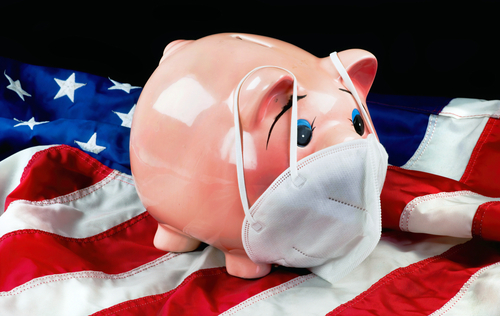 The CARES Act stimulus package substantially relaxed the rules around certain retirement account loan and distribution requirements, but with much confusion. As a result, the IRS recently put out a FAQ document to address the COVID-19 rule relaxation around IRA and 401(k) loans and distributions. This important information should come as welcome news for the nearly one percent of all retirement plan holders who have already taken a distribution under the new rules, according to Fidelity Investments.
 With the coronavirus spreading across the globe, catching individuals and governments off guard, business owners have not fared any better. While the virus is having a grave impact on the health of millions across the globe, businesses have seen an equally serious impact on their bottom line. The virus is projected to hit businesses’ cash-flow and the ability to stay open post-pandemic.
  Coronavirus Aid, Relief and Economic Security Act (HR 748) – This legislation provided $2 trillion of stimulus relief in response to the coronavirus crisis. Provisions of the bill include:
 Since the escalation of COVID-19 cases, malicious activity from cybercriminals is also on the rise.